
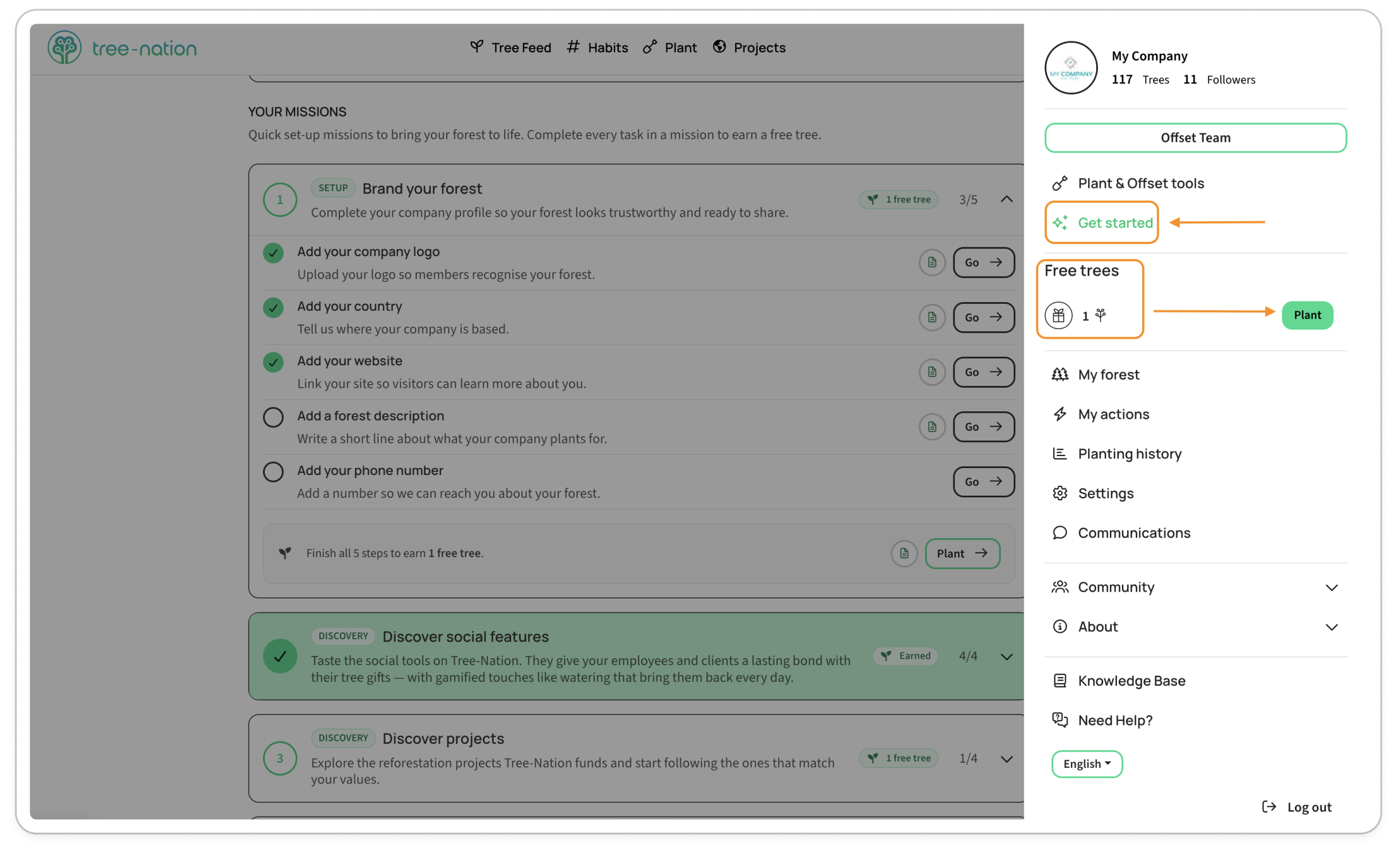
Open Get started from your account menu (or go straight to tree-nation.com/get-started). This page walks you through four quick missions — finish a mission, earn a free tree.
Currently only available for company accounts. Soon will be available for citizen accounts.
1. Brand your forest (Setup)
Complete your company profile so your forest looks trustworthy and ready to share:
- Add your company logo
- Add your country
- Add your website
- Add a short forest description
- Add your phone number
Finish all five and you'll earn 1 free tree.
2. Discover social features
Try the social side of Tree-Nation — liking, watering, commenting, and following. It's how your team and clients build a lasting bond with the trees they're gifted.
Reward: 1 free tree.
3. Discover projects
Explore the reforestation projects Tree-Nation funds, and start following the ones that match your values.
Reward: 1 free tree.
4. Start planting
Plant your first company tree and bring your forest to life.
Finish this mission and we'll automatically add one extra gifted tree to your forest — nothing more to do on your end.
Where to find your free trees
Click your company profile in the top-right corner to open your account menu. You'll see a Free trees counter with a Plant button right next to it — that's every free tree you've earned, ready to use.
A few things worth knowing
- Your progress only moves forward. Once a task is checked off, it stays checked off.
- Already done some of this before the page existed? It's already counted — you won't be asked to redo it.
- Free trees earned here show up in that same counter, separate from your regular tree credits.
Prefer a human?
Book a free 30-minute onboarding call with a Tree-Nation specialist straight from the Get Started page.