
Step 1: Create your Tree-Nation ID
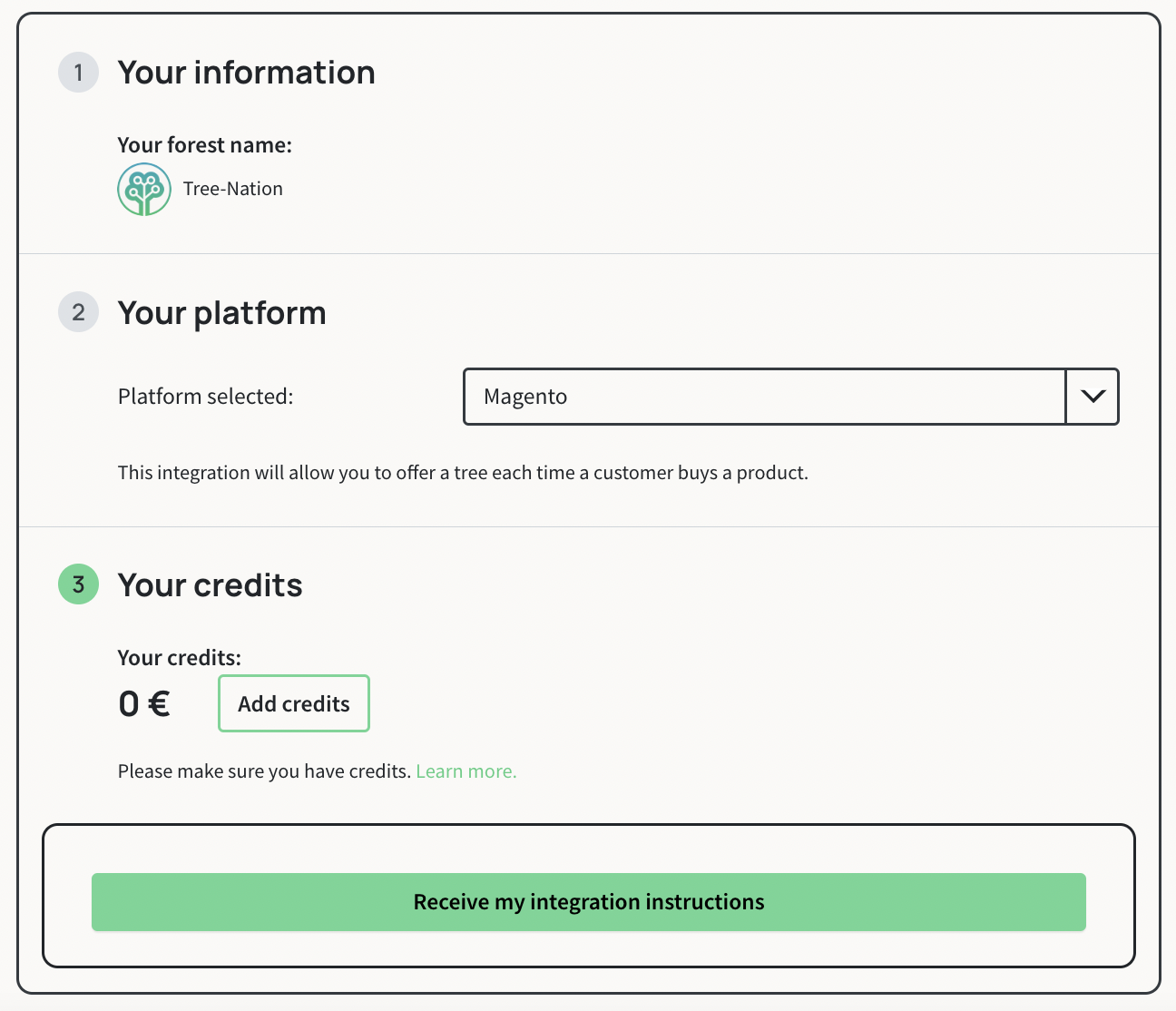
Please go to the ProductTrees section here.
And select the Magento platform.
You will need to:
- login or register as a company
- credit your account so that trees can be planted automatically.
To make sure you don’t run out of credits, please tick the auto-refill option. Click on the Learn more link for more details.
Proceed to the next page to receive your code:
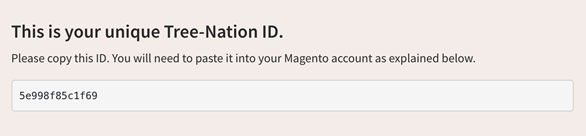
You will then receive a code that looks like this:
Step 2: Install the plugin in your Magento
Once you have installed the extension from the Magento Marketplace, (Or click here for a direct download) follow these steps to configure and activate the Tree-Nation extension:
- The module settings are located at System >> Webhook Configuration (section Tree-Nation). You can also find this configuration under Stores >> Configuration >> Sales >> Tree-Nation Webhook
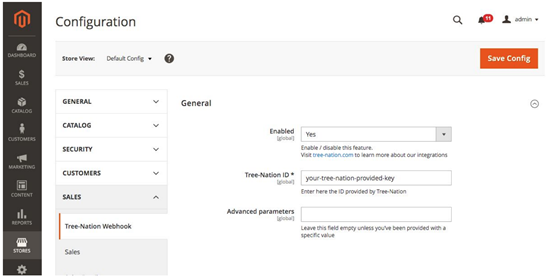
- On the configuration page:
a) Make sure the Enabled field is set to 'Yes'.
b) Fill the Tree-Nation ID field
You can find your Tree-Nation ID on this page: https://tree-nation.com/auto-offer/confirmation/magento
c) Don’t write anything in Advanced parameters unless instructed to do so. Then click on 'Save Config'
That’s it!
Step 3: Now, make a test!
Make a test purchase in your shop to confirm that the tree gift email is sent correctly.
Important: Please do not use the same email address linked to your Tree-Nation account for this test. If you do, the system will identify you as both the sender and the recipient, and the tree gift email will not be sent. Use a different email address instead.
Option - Customization
Please click here to make any customization changes
Tools for your website and communication
Please click here to access tools for communicating about our partnership.