
Step 1: Download the PrestaShop Tree-Nation module
Please save this file https://github.com/Tree-Nation/prestashop-module/releases/download/v1.2.0/module_treenation_prestashop.zip on your computer and proceed to step 2.
Last update: 5 August 2026
Step 2: Install the webhook in your PrestaShop
Process:
- Go to your admin in PrestaShop
- Go to the menu Modules > Modules & Services
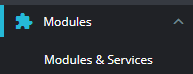
- At the top of the page, click the button 'Upload a module'

- Select the file on your computer 'module_treenation_prestashop.zip'.
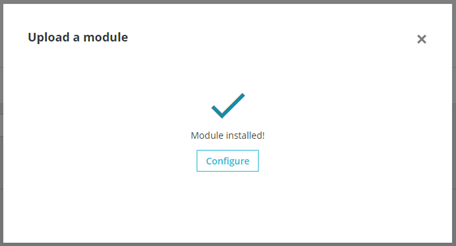
- Once installed, click the button 'Configure'
Fill in the form with your Tree-Nation ID
You can find your Tree-Nation ID on this page: https://tree-nation.com/product-trees/integration/prestashop
and copy it here:

(Don’t write anything in the advanced parameters unless instructed to do so)
Click on 'Save'
That’s it!
Step 3: Now, make a test!
Make a test purchase in your shop to confirm that the tree gift email is sent correctly.
Important: Please do not use the same email address linked to your Tree-Nation account for this test. If you do, the system will identify you as both the sender and the recipient, and the tree gift email will not be sent. Use a different email address instead.
Option - Customization
Please click here to make any customization modifications.
Tools for your website and communication
Please click here to access tools for communicating about our partnership.