
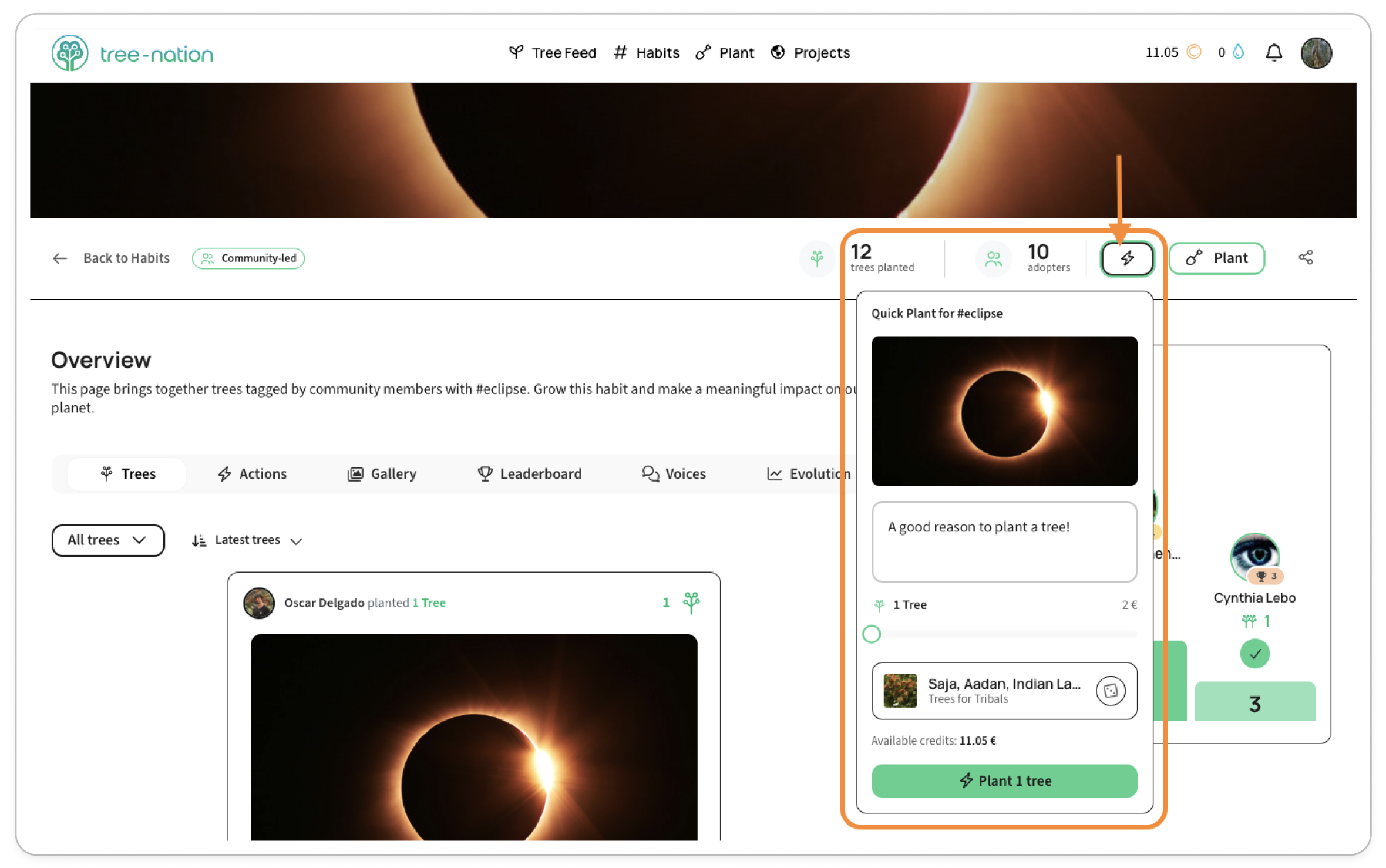
Quick Plant is the fastest way to add a tree to a Habit — no need to go through the full planting flow.
On any Habit page, click the lightning-bolt icon next to the Plant button. A Quick Plant for #[Habit] window opens with everything ready to go.
What's in the Quick Plant window
- Photo — the Habit's own banner image is used for your tree, so it's already on-theme.
- Message — a default message is filled in for you; edit it if you'd like to say something different.
- How many trees — a slider from 1 to 10.
- Species and project — picked for you automatically, shown with its price. Don't like the pick? Click Shuffle species to get a different one — price updates each time.
- Available credits — shown right above the Plant button, so you always know what you're spending before you confirm.
Click Plant [n] tree(s) to confirm.
Good to know
Quick Plant only spends from your existing credit balance — it doesn't take a new card payment. If the total costs more than the credits you have, the button is replaced with a prompt to add credits first.
Once planted, your tree shows up under that Habit's hashtag just like any other tree you plant.