
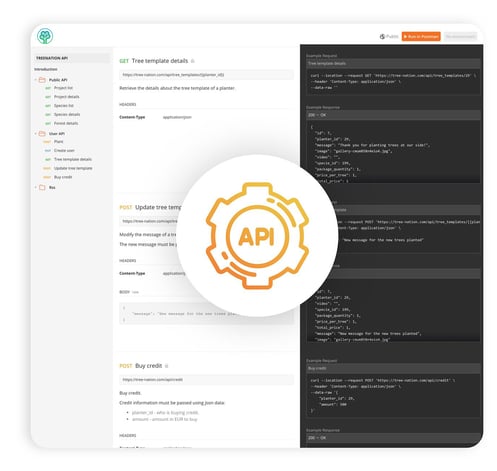
🌱 What is the Tree-Nation API?
The Tree-Nation API allows you to automate tree planting and integrate it directly into your product or platform. Whether you're building a booking system, a subscription-based app, or a gamified experience, the API gives you full control to:
-
🌳 Trigger tree planting for user actions (e.g., orders, bookings, milestones)
-
🧾 Generate Tree-Gift links
-
🔍 Retrieve planting data (species, CO₂ offset, tree ID, etc.)
-
🔄 Track and manage your planting activity programmatically
💡 Access to the API is free.
With more advanced features, you can create a Tree-Nation user profile for your corporate clients. You can also manage and distribute credits to those clients (contact us).
📘 Where to find the documentation
Explore our complete API documentation and test endpoints using the following tools:
⚙️ What can I do with the API?
Common use cases for our API include:
| Use Case | Example |
|---|---|
| Trigger tree planting | Plant a tree when a customer books a session |
| Generate Tree-Gift links | Automatically send Tree-Gifts after purchases |
| Sync tree planting data | Retrieve species, location, CO₂ info per tree |
| Track performance | Pull data for dashboards or impact reports |
You can plant in your company forest, personalize tree messages, and retrieve reports as part of your automation.
⚠️ Important: Are you using a third-party platform?
The Tree-Nation API is designed for custom-built platforms or internal systems. If you're using a third-party system like: Bsports, Fareharbor, Mindbody, or other industry-specific operation platforms, please note the following:
✅ If you control the platform's backend:
You can implement the Tree-Nation API directly with your development team.
❌ If you don’t control the backend (e.g., you're a customer of the platform):
You cannot implement the Tree-Nation API yourself. In this case:
-
Contact your platform provider and ask:
-
Do they support external API triggers?
-
Are they willing to integrate with Tree-Nation’s API?
-
-
💡 Alternatively, check if the platform is available on Zapier, see more below ⬇️
⚡️ Zapier: A no-code alternative
If your system is supported by Zapier, you can use the Tree-Nation Zapier integration to trigger tree planting without writing any code.
-
Automate actions like:
-
“Plant a tree when a form is submitted”
-
“Send Tree-Gift after an order”
-
“Plant a tree when a customer subscribes”
-
Terms and Conditions of species selection
There are two methodologies for selecting tree species for planting:
-
Selection by Price (Recommended): This user-friendly option allows for planting through predefined species packages, each anchored to a specific price point. The composition of species within these packages is dynamically managed by Tree-Nation and may vary periodically to align with the predetermined price. Opting for this method ensures cost stability and simplifies the selection process.
-
Selection by Species ID (Advanced): This approach utilizes the Species ID, obtained via the API, to plant a specific tree species. However, it's important to note that the cost associated with this method is subject to fluctuation over time. As such, should you prefer to plant a specific species, it is advisable to verify the current cost through the API prior to each planting request, thereby mitigating potential discrepancies in pricing.
To engage the first option and leverage a species package, simply omit the species_id from your API request's body. Doing so will prompt the system to default to the species package pre-configured in your account, which can be set using the form provided below, or adjusted through your Forest Success Manager.
🧰 How to get started - Generate your API token
- Log in or create both accounts
- Test: Register on the sandbox
- Live: Register your organization
- Configure your Tree Template: Select your species package and share your story and brand message so we configure this for your API settings. Fill out the below Tree Template configuration form:
3. Fund your account
-
- Sandbox: top up with our Stripe test card. No real money moves.
- Card number:
4242 4242 4242 4242 - Expiry: any valid future date
- CVC: any 3 digits
- Card number:
- Production: Purchase real credits here. This activates the credit auto recharge → https://tree-nation.com/credit/buy
- Sandbox: top up with our Stripe test card. No real money moves.
For more advanced features (corporate client profiles, credit distribution), contact us at support@tree-nation.com.
Need more than one tree template?
Each API account (token) is linked to a single tree template — the plant call has no parameter to select or override the template per request. If different triggers need different templates (for example, one per campaign or product line), set up a separate API account for each one. Each account uses the same Tree-Nation API, just configured against its own template.
📞 Need support?
We’re happy to support you during implementation — especially once your platform is live.
For setup questions, use our support channels:
-
💬 Chat with our chat agent.
-
📧 Email us at support@tree-nation.com